
How to fix common Taiwan arrival card problems and errors. The Taiwan arrival card is free and takes 5 to 10 minutes to complete at twac.immigration.gov.tw.
Common Form Submission Errors
Wrong passport numbers and incomplete addresses cause most Taiwan arrival card form errors. The TWAC system validates your information in real time, but small mistakes can still slip through. Understanding the most frequent errors helps you avoid delays at immigration.
The most common submission errors include:
- Wrong passport number – Double-check every character, including letters and numbers
- Incomplete address in Taiwan – Enter your full accommodation address, including hotel name and district
- Wrong date format – The TWAC portal uses DD/MM/YYYY format for all dates
- Email typo – A single wrong character means you never receive your QR code
- Mismatched names – Your name must match your passport exactly, including middle names
- Wrong flight number – Include the airline code (e.g., CI, EVA, not just the number)
If you encounter an error message during submission, do not refresh the page immediately. Read the error text carefully, correct the highlighted field, and click submit again. If the portal shows a persistent error, clear your browser cache and start a new application.
For step-by-step guidance on filling the form correctly, see our Taiwan arrival card form guide.
QR Code Not Received
Check your spam folder and re-download from the TWAC portal if the QR code email does not arrive within 24 hours. The Taiwan arrival card system sends your confirmation and QR code to the email address you provided during registration.
Here is what to do if you have not received your QR code:
- Check spam and junk folders – Automated emails from government systems often land in spam. Search for emails from “@immigration.gov.tw”
- Wait at least 24 hours – Processing can take up to 24 hours during peak travel seasons
- Log back into the TWAC portal – Visit twac.immigration.gov.tw and use your passport number and date of birth to retrieve your application
- Download the QR code directly – Once logged in, you can view and download your QR code PDF
- Check your email provider – Some providers like Yahoo and Hotmail block government emails more frequently than Gmail
If you still cannot access your QR code after these steps, contact the National Immigration Agency directly at +886-2-2388-9393 or visit the immigration counter at the airport with your passport and application reference number.
Session Timeout Issues
The TWAC portal session expires after approximately 15 minutes of inactivity. This is a security measure to protect your personal information. If you take too long filling out the form, you may lose all your entered data.
To avoid session timeouts:
- Gather all documents first – Have your passport, flight number, and Taiwan accommodation address ready before starting
- Do not leave the form idle – If you need to look something up, open a new browser tab instead of leaving the TWAC page
- Use a stable internet connection – Unstable connections can trigger premature timeouts
- Avoid using the back button – This often invalidates your session and forces a restart
If your session does expire, you must start the application from the beginning. There is no way to recover partial submissions. The good news is that the form only takes 5 to 10 minutes to complete when you have all the required information ready.
For a complete list of required documents, visit our Taiwan arrival card requirements page.
Passport Not Recognized
The TWAC system only accepts passports from eligible countries. If your passport is not recognized, it usually means one of three things: your nationality requires a visa instead of an arrival card, your passport number format does not match expected patterns, or there is a data entry error.
Common reasons for passport rejection:
- Visa-required nationalities – Citizens of certain countries must obtain a visa before traveling to Taiwan and cannot use the TWAC system
- Passport near expiry – Your passport must be valid for at least 6 months from your entry date
- Old passport format – Some older passport numbering formats may not be accepted by the digital system
- Typing errors – The letter “O” and number “0” are frequently confused, as are “1” and “l”
If you are certain your passport should be accepted but the system rejects it, try entering your passport number in all uppercase letters without spaces. If the problem persists, contact the nearest Taiwan embassy or consulate for assistance.
Browser Compatibility Problems
The TWAC portal works best on modern browsers like Chrome, Firefox, Safari, and Edge. Older browsers or mobile browsers with restricted settings may cause display issues or form submission failures.
If you experience browser-related problems:
- Update your browser – Make sure you are running the latest version
- Disable ad blockers – Some ad blockers interfere with the TWAC form scripts
- Enable JavaScript – The portal requires JavaScript to function
- Clear cookies and cache – Old cached data can cause conflicts with the current portal version
- Try a different browser – If Chrome does not work, try Firefox or Safari
Mobile users should note that while the TWAC portal is mobile-responsive, some older smartphones may have display issues. If you encounter problems on your phone, switch to a laptop or desktop computer.
Wrong Information After Submission
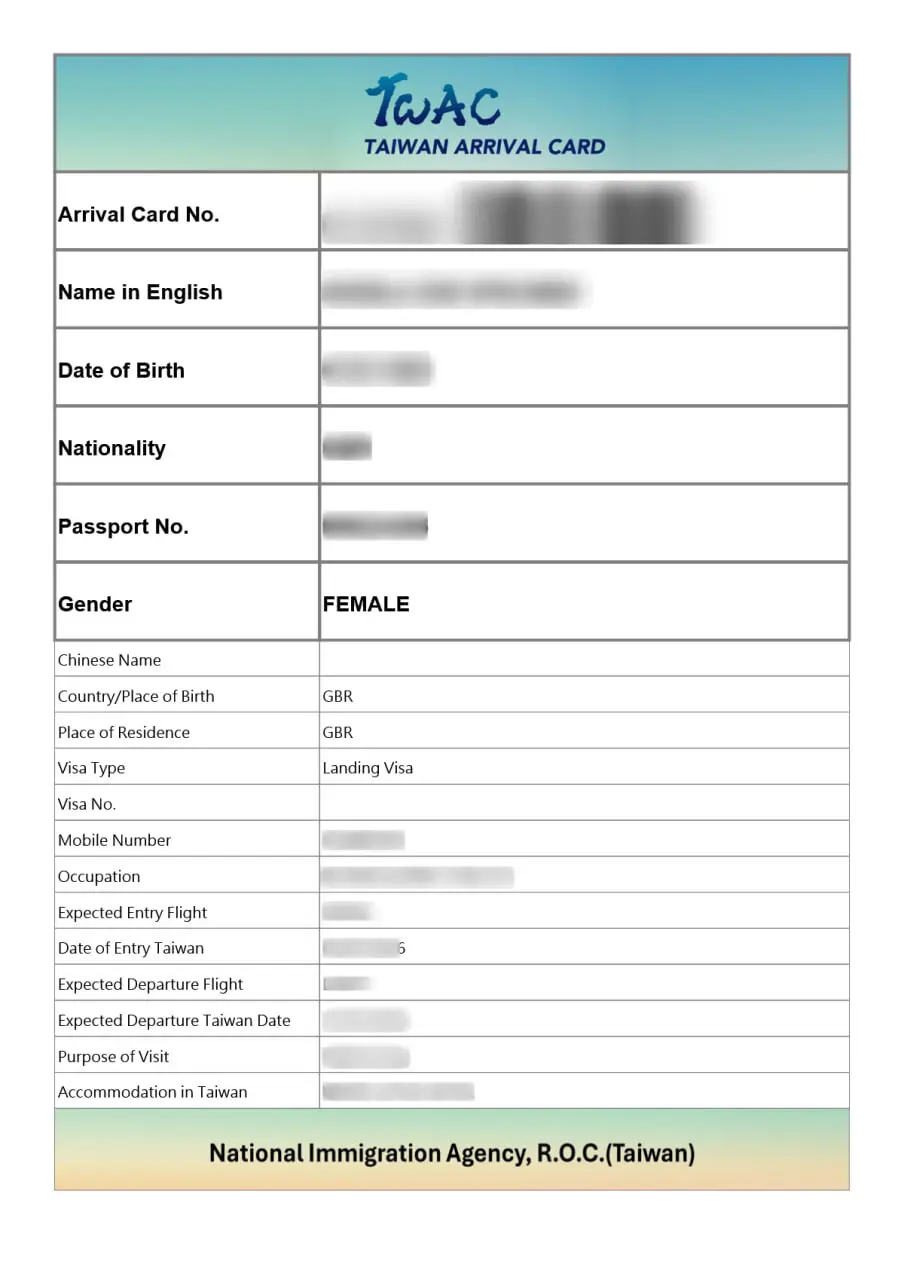
You cannot edit a submitted Taiwan arrival card. If you realize you entered incorrect information after submitting the form, you must submit a completely new application.
The TWAC system does not allow edits to existing submissions. However, submitting a new application automatically overrides the previous one. Your most recent submission is the one immigration officers will see when you arrive.
Steps to correct your information:
- Go to twac.immigration.gov.tw
- Start a new application with the correct information
- Use the same passport number – the system will flag the duplicate and keep the latest version
- Save and submit the corrected form
- Use the new QR code from your latest submission
Common corrections include wrong flight numbers, outdated accommodation addresses, and passport number typos. Always double-check your information before clicking the final submit button.
Multiple Applications for Same Passport
Submitting multiple Taiwan arrival cards with the same passport number creates confusion in the system. Only your most recent application will be valid, but processing delays can occur if you submit several forms in quick succession.
If you have accidentally submitted multiple applications:
- Wait 24 hours – Let the system process and override previous entries
- Use only the latest QR code – Print or save the confirmation from your most recent submission
- Do not submit more than 3 times – Excessive submissions may trigger a temporary lock on your passport number
Travelers who share devices or help family members with applications should be especially careful to use the correct passport number for each person.
Accommodation Address Format Errors
The TWAC form requires a complete Taiwan accommodation address, and incomplete addresses are a leading cause of form rejection. You must include the full street address, district, and city.
The correct address format includes:
- Hotel or accommodation name – Full official name (e.g., “Grand Hyatt Taipei”)
- Street address – Street name and number
- District – Administrative district (e.g., Xinyi District)
- City – Taipei City, Kaohsiung City, Taichung City, etc.
If you are staying at an Airbnb or private residence, enter the full address as provided by your host. If you do not yet have confirmed accommodation, you may enter the address of your first-night hotel. You can update your address by submitting a new application.
For travelers visiting multiple cities, enter the address of your first accommodation. Immigration officers understand that travel plans may change.
Airport Immigration Counter Issues
If you arrive at a Taiwan airport without a completed arrival card, you can fill one out at the immigration counter. However, this significantly increases your waiting time and may cause you to miss connections.
Problems that occur at the airport:
- No QR code ready – Officers must manually verify your information, adding 10-15 minutes to processing
- Expired arrival card – Taiwan arrival cards are valid for 30 days. If you applied too early, you need a new one
- Name mismatch – If your arrival card name does not match your passport exactly, you will be sent to secondary inspection
- Wrong entry date – Your arrival card must be valid for your actual entry date
To avoid airport problems, complete your Taiwan arrival card at least 3 days before departure and verify all details match your passport exactly.
Digital System Outages
The TWAC portal occasionally experiences downtime for maintenance or technical issues. If the system is unavailable when you try to apply, you have several options.
When the portal is down:
- Wait and retry – Most outages last less than 2 hours
- Try during off-peak hours – Taiwan time zone (UTC+8) early morning hours typically have less traffic
- Contact the airline – Some airlines can provide paper arrival cards
- Apply at the airport – Paper forms are available at Taiwan immigration counters
The National Immigration Agency typically announces scheduled maintenance on their official website. If you are traveling within 24 hours and cannot access the portal, call +886-2-2388-9393 for assistance.
Frequently Asked Questions
Last updated: July 2025. For official information, visit the National Immigration Agency. This guide is published by the editorial team at taiwan-arrival-card.net to help international travelers navigate Taiwan entry requirements.